Calcudoku
Logic Puzzles
Toggle a light and its direct neighbours, then work systematically until every light on the grid is off.
Some games take a moment to load. If the screen stays blank, or open it on the publisher’s site.
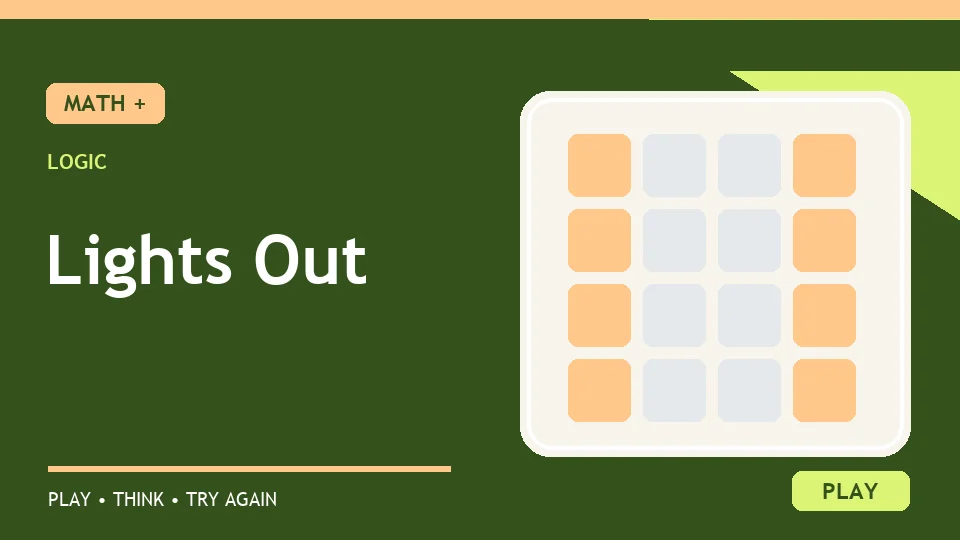
One tap in the Lights Out puzzle changes more than one square. The chosen light and its neighbours directly above, below, left and right all switch state. A lit light becomes dark; a dark one becomes lit. Your aim is to turn every light off. The Guessr version marks lit cells with a dot and dark cells with a ring, a useful distinction when colour alone is hard to read. The simple action creates a surprisingly involved puzzle because a move that fixes one row may undo work in another. In Practice, try one move and watch the whole cross of affected cells before planning the next.
The centre of a grid has four direct neighbours, so a centre click can change five cells in total. An edge cell has only three direct neighbours, changing four cells. A corner has two neighbours, changing three. Diagonal cells are untouched. This matters when the board is almost solved: a lit corner cannot always be fixed by tapping that corner, because doing so may relight two adjacent cells. Instead, ask which possible clicks could affect that corner. There are only three: the corner itself and its two orthogonal neighbours.
Try a small experiment on the Practice board. Tap one light and record which dots became rings and which rings became dots. Tap that same light again. Every affected cell returns to its previous state. This is why clicking the same square twice cancels itself. The publisher also notes that move order does not change the final pattern: tapping A then B has the same net effect as B then A. You can therefore think of a solution as a set of cells to press once, rather than a carefully timed sequence of animations.
A common first attempt is to click whatever light is on. That can work by luck, but it often moves the problem around the board. A better question is: which press turns off the lit cells without creating too many new ones? On a small grid, compare the cross of each candidate press with the current pattern. If a press touches several lit cells, it may be useful; if it touches mostly dark cells, it may create more work. This is a heuristic, not a guarantee, because the final solution can require temporary extra lights.
Another approach is to work from the top row downward. After deciding which cells to press in the top row, inspect the lights that remain there. Press the square immediately below a lit top-row cell to switch that cell off. Repeat across the row, then move down. Once a row is settled, avoid touching cells above it. The publisher suggests this row-by-row method because it reduces the number of choices you have to hold in mind at once. The last row tells you whether your earlier top-row decisions were right.
Imagine only the centre light and its four direct neighbours are on, while every other cell is off. Pressing the centre changes exactly those five cells, so they all turn off together. Now imagine the same cross is dark and you press its centre: all five light up. The action is reversible. This example shows why a click is not simply “turn this one off”; it is “toggle this cross”. Even when the real board is larger, describe candidate moves in terms of their crosses.
Suppose a corner is lit and both of its neighbours are dark. Tapping the corner turns it off but lights those two neighbours. You have not necessarily made progress. Check whether pressing one of the neighbours could solve another lit cell at the same time. A move may look less direct yet fit the wider pattern. When you make an uncertain move in Practice, use undo rather than piling several guesses on top. Note the before-and-after pattern so the experiment teaches you something.
The publisher provides a daily board and Practice play. The board is generated from a solved position, so it has a solution. Practice undo lets you explore a hypothesis and reverse it. The daily ranking uses separate rules; hints remove eligibility for the leaderboard. Neither of those ranking details changes how the puzzle works. For this site, a guest can focus on the lights and the reasoning. If you are new to the game, solve a Practice board without worrying about the number of moves, then try to shorten a later solution.
A solved puzzle scores 1,000 minus the move count on the publisher's daily system, with a minimum of one point. That may encourage efficient play, but a low move count is meaningful only after you can solve consistently. First learn which cells a press affects. Then practise planning a row. Finally compare your move count across similar board sizes. A hint can be useful if you study why it recommends a press; it is less useful if you copy it without tracing the cross it changes.
Lights Out has no calculation to type, yet it is mathematical in the way moves combine. Each press toggles a fixed pattern, and pressing twice cancels. The board can be treated as a set of yes-or-no states. That makes it a natural fit for Logic Puzzles. Calcudoku uses a different sort of deduction: row and column exclusions plus arithmetic cages. If you enjoy spatial clues, Geometry games offer another way to reason step by step. The common feature is that each move should follow a rule you can explain.
Do diagonal lights change? No. A tap changes the selected light and its direct up, down, left and right neighbours when they exist.
Can I solve the board by pressing every lit light? Sometimes a press helps, but that habit can relight other cells. Plan around the full cross each click toggles.
Does pressing the same cell twice help? It restores the previous pattern for that cross, so the pair of presses has no net effect.
Is every board solvable? The publisher says boards are generated from solved positions, which gives them a valid solution.
Lights Out becomes less mysterious once you stop treating a click as a single-square action. Watch the cross, use undo to test an idea, and work systematically across the board. The final dark grid is satisfying because each light went out for a reason.
Choose Practice. Select a light to toggle it and its up, down, left and right neighbours. Plan the effect of each cross-shaped move until all lights are dark.
Controls: Select a light to toggle it and its direct neighbours. Use Undo in Practice to revisit a move.