MathUwU Decimals
Decimals
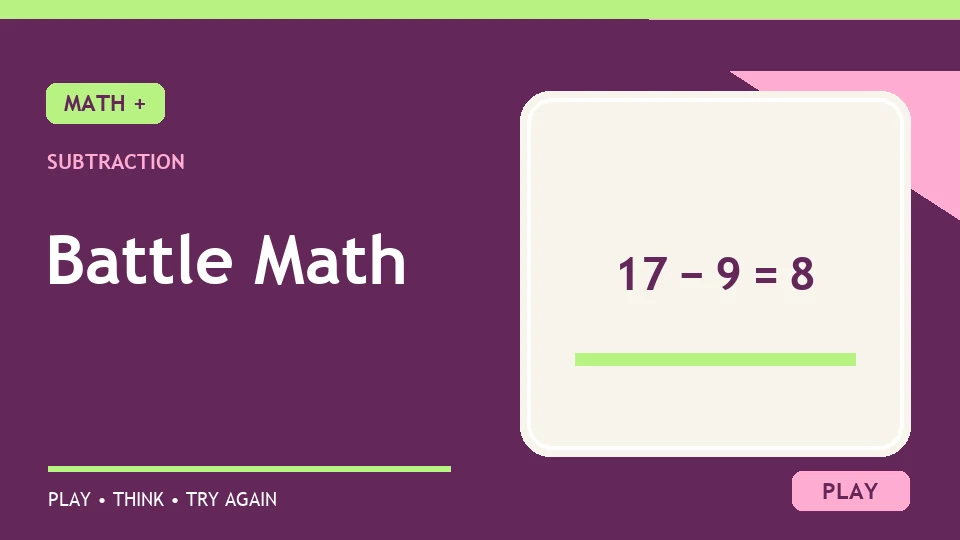
Set Battle Math to subtraction, division or decimals and answer timed questions to score points and clear enemies.
Some games take a moment to load. If the screen stays blank, or open it on the publisher’s site.
Decimals on a phone: In Free Play, open Settings, select Decimal, then set answers to Choose. The game's Type keypad has no decimal point on touch screens.
The Battle Math game puts short arithmetic questions inside a simple enemy battle. Select Free Play, choose an operation and answer correctly to score points and clear an enemy. The same browser game can ask subtraction, division or decimal questions, depending on its settings. That makes the settings screen part of the lesson: if you arrived from our Subtraction collection, select the minus sign; if you arrived from Division, select the division sign; if you want decimal arithmetic, choose Decimal as the number mode. These are different settings of one game, so they share one Math Games page.
Free Play lets you adjust the operator, difficulty and number mode. The publisher lists Easy for single-digit numbers, Medium for values from 10 to 99 and Hard for values from 100 to 999. Its normal mode uses whole numbers; Decimal mode introduces values with up to two decimal places, and Negative mode introduces negative numbers. Because these settings can combine, read the first question after starting. A subtraction round with whole numbers is different from a subtraction round involving decimals or negative values. Choose one combination at a time while learning.
There is also a timer for each question. The publisher says faster correct answers award more points, starting at ten for a response in under five seconds and falling to one after 25 seconds. A wrong answer earns no points. This scoring adds tension, but it need not control how you practise. When a calculation is new, prioritise a correct method and let the score be secondary. After the method becomes familiar, you can try to improve your pace. The enemy is a visual reward for a correct answer, not a substitute for checking the maths.
Choose the minus operator in Free Play and look carefully at the order of the numbers. Subtraction is not commutative: 9 − 4 is 5, while 4 − 9 is a different question and may require negative numbers. For 52 − 17, you could take away 10 and then 7: 52 − 10 = 42, and 42 − 7 = 35. A check by addition gives 35 + 17 = 52. For example, 5 − 4 = 1. A correct answer increases the score and can remove an enemy.
For single digits, you may know the answer instantly. With two-digit values, try bridging a ten or finding the missing addend. To calculate 61 − 58, count from 58 to 60 (two) and then to 61 (one), for a difference of three. If the game switches to a harder mode, pause to read its new number range rather than using a strategy suited only to the earlier level. The Subtraction games collection includes different forms of difference practice, and the active operation here is always the one you select in the player.
Select the division operator and use multiplication to check each quotient. The question 24 ÷ 6 asks which number multiplied by 6 makes 24; it is 4. A question such as 7 ÷ 1 has answer 7 because dividing by one leaves the number unchanged. For example, 5 ÷ 1 = 5. That is a simple fact; higher difficulty settings can present larger values. For a tougher question, write the related multiplication statement before you submit.
If a result does not look like a whole number, check the mode and the exact question. Decimal mode changes the kind of answer you may need. Do not silently round unless the game asks you to. Read the digits in the dividend and divisor, then check the proposed quotient by multiplication. The Division games page explains more ways to think about equal groups and the inverse relationship between division and multiplication.
Decimal mode can be combined with an operation. For example, 1.18 + 7.01 = 8.19 and 0.17 + 6.84 = 7.01. A correct answer changes the score and enemy counters. Those examples show decimal addition, although the game also offers other operation settings. When adding decimal numbers, line up the decimal points so tenths add to tenths and hundredths to hundredths. In 0.17 + 6.84, the hundredths make 11 hundredths, so one tenth is carried; the result is 7.01. Estimating first is a good check: about 0.2 plus 6.8 should be near 7, not 70.
For decimal subtraction, the same place-value alignment matters. If you see 8.20 − 1.35, write 8.20 rather than thinking of the first value as 8.2 with no hundredths: 8.20 − 1.35 = 6.85. A game round may reward speed, but place value prevents a costly misplaced decimal point. Battle Math is listed in our Decimals games collection because the decimal setting is available; the game does not begin in Decimal mode automatically. Set it explicitly each time you want that practice.
On a phone, choose the game's Choose answer mode when you select Decimal. Its touch keypad in Type mode does not include a decimal point, so it cannot enter most decimal answers. In Choose mode, tap the correct answer from the options shown. On a computer, the Type field accepts decimal answers from a keyboard.
The publisher's score depends on correctness and time. An answer inside the fastest window receives more points than one entered near the end of the countdown. If a correct answer seems to earn fewer points than before, check the timer rather than assuming that the arithmetic changed. A wrong answer receives zero. The score and enemy count change after a correct answer. The publisher also says the best score for the session is tracked. Browser state and game updates can affect what remains after a reload, so treat the score as feedback for this play session.
You do not need to use the keyboard at racing speed to learn from the game. Choose Easy and one operator, solve a few problems accurately, then change either the difficulty or the number mode. Changing both at once makes it harder to tell what caused a mistake. If you are helping a younger player, ask them to explain one inverse check: addition for a subtraction answer, multiplication for a division answer, or a rough estimate for a decimal answer. This turns a battle screen into a conversation about number sense.
Battle Math appears across several topics because its Free Play settings genuinely change the questions. The canonical page stays the same, and this guide explains how to reach each relevant mode. If you want only one operation without setup, choose another game from the appropriate category. If you like a quick challenge and want to decide which skill to practise, Battle Math gives you that choice. Read the operation and number mode, answer one question you can check, and use the result to decide whether to stay at that level or adjust it.
Open Free Play and select an operator, difficulty and number mode. Choose Decimal explicitly for decimal questions. Enter each numerical answer, submit it and use the score and enemy count as feedback.
Controls: Choose Free Play settings, then enter and submit numerical answers with the on-screen or keyboard controls.